
10-Day AI Creative Masterclass
AI Content Creation Training in Nepal
Turn your ideas into content you can show.
A hands-on program for bachelor students to practise research, writing, visual design, video, and audio with AI. Work through guided projects, improve your outputs, and bring your learning together in a final creative showcase.
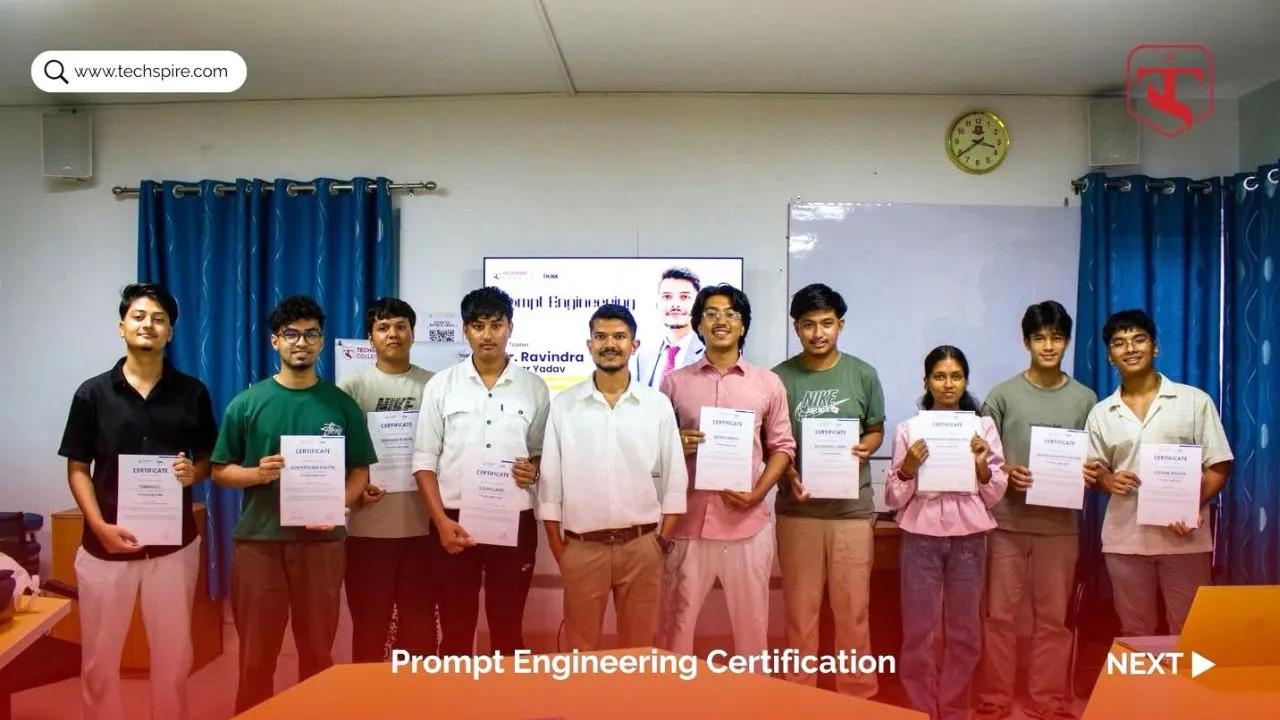
Make something with what you learn
Build skills around a creative project.
Each stage contributes to a practical outcome. Instead of collecting disconnected prompts, you work towards content that has a purpose, an audience, and a clear message.
A clear creative brief
Identify an audience, check useful sources, and turn an idea into a focused brief before producing content.
A script and visual direction
Draft a script, shape the story, and build coordinated visuals while keeping your own voice and purpose.
A short creative piece
Combine selected visuals, video, or audio into a piece that you can review, improve, and explain.
A project for your portfolio
Present your creative choices, show the final work, and use feedback to identify what to improve next.
These are learning goals. The final scope and quality depend on practice, participation, tool access, and review.
Who it is for
A practical starting point for student creators.
Bachelor students
Students from business, IT, media, and other disciplines who want to practise creative AI beyond basic tool demonstrations.
Student creators
Learners exploring content for a college club, personal portfolio, student initiative, or an early business idea.
Colleges and institutions
Academic teams planning a guided program that combines creative work, responsible AI use, and a student showcase.
An illustrative class exercise
One idea. A connected creative process.
Imagine creating a campaign for a student-run café in Nepal. You would first define the audience and message, then develop the content, and finally explain the choices behind it. This is a sample exercise, not a claim about a client campaign.
- 01Research the audience
- 02Shape the message
- 03Write the script
- 04Build the content
- 05Review and present
Projects can instead focus on a college event, an educational explainer, a personal brand, or another suitable idea agreed during the program.
The learning journey
Your 10-day AI content creation syllabus.
The program moves from research and storytelling to production and presentation. Daily exercises can contribute to the same final project. Session hours and the delivery schedule are confirmed with the organising institution.
Prompting Foundations & Responsible AI
Work towards: a tested personal prompt library.
Explore day 1
- Understand generative AI through everyday examples.
- Write prompts with a clear task, context, constraints, and desired format.
- Compare outputs and refine instructions using examples.
- Practise checking answers and protecting sensitive information.
Content Research & Audience Insights
Work towards: a sourced creative brief.
Explore day 2
- Explore audience questions and relevant content ideas.
- Use AI to organise research and compare public content.
- Open original sources and check dates, evidence, and context.
- Choose a message, audience, and objective for the project.
Scriptwriting & Storytelling
Work towards: a script and simple storyboard.
Explore day 3
- Build a beginning, a clear message, and a useful ending.
- Draft hooks, dialogue, captions, or an explainer script.
- Edit repetitive language and check factual claims.
- Plan the visuals and audio before generating video.
Image Generation & Visual Design
Work towards: a coordinated set of visual assets.
Explore day 4
- Describe composition, style, lighting, and intended use.
- Create graphics, poster concepts, and social content.
- Keep colours, typography, and visual direction consistent.
- Check image defects, text accuracy, and permissions.
AI-Assisted Video Production
Work towards: a short edited video.
Explore day 5
- Turn the storyboard into a manageable shot list.
- Explore text-to-video or image-to-video exercises.
- Review continuity, pacing, and visual consistency.
- Assemble selected clips and add readable captions.
Voiceovers, Music & Audio
Work towards: an audio asset for the project.
Explore day 6
- Prepare a voiceover script with appropriate pacing.
- Explore background music and audio generation.
- Review pronunciation, clarity, and the audio balance.
- Check usage terms and avoid impersonation or unauthorised voice cloning.
Ad Creatives & Campaign Content
Work towards: creative variations for review.
Explore day 7
- Connect audience needs to a specific message and action.
- Adapt the project into promotional content formats.
- Compare variations in copy, visuals, and structure.
- Avoid misleading claims and plan what a real campaign would need to test.
Portfolio & Landing Page Prototyping
Work towards: a simple page prototype.
Explore day 8
- Outline a portfolio, landing page, or simple tool idea.
- Use an AI-assisted builder for a guided prototype.
- Check the layout, text, links, and mobile presentation.
- Understand what still needs testing before publishing a real website or app.
Content Planning & Creative Productivity
Work towards: a content plan and presentation outline.
Explore day 9
- Build a realistic content calendar around the project.
- Organise drafts, prompts, sources, and media assets.
- Summarise suitable documents and verify key details.
- Prepare a presentation that explains the idea and creative choices.
Capstone Project & Showcase
Work towards: a completed project and feedback.
Explore day 10
- Finish one agreed creative project or content pack.
- Check facts, consistency, permissions, and presentation.
- Present the work and explain where AI helped.
- Use instructor and peer feedback to plan the next improvement.
Choose tools to fit the task
The workflow matters more than the tool list.
Examples from the syllabus include Gemini, Perplexity, Claude, Canva, Leonardo.ai, Suno, Udio, v0, and Bolt.new. The actual selection is confirmed before each program based on access, suitability, and the exercises.
Research & writing
Organise ideas, compare drafts, check sources, and develop scripts. Students remain responsible for reviewing the final content.
Visuals, video & audio
Choose a manageable set of media tools and practise a connected production process, rather than opening an account on every platform.
Planning & building
Organise the project, create a simple page prototype, and prepare a presentation of the work and its purpose.
Before the first session
Confirm the schedule, laptop and internet arrangements, required accounts, and any paid tool access. A smartphone can support some tasks, but a laptop is recommended for editing, organising files, and building page prototypes.
Tool subscriptions, credits, commercial-use rights, and certificates are not automatically included. These details should be agreed before enrolment or booking.
Your instructor
Learn with Ravindra Yadav.
I am an AI educator and corporate AI trainer based in Kathmandu. My work combines practical AI adoption with experience in digital marketing, content creation, business strategy, and consulting.
I have trained 5,000+ learners, delivered 60+ workshops and sessions, and supported 30+ organisations across my overall work. These are not enrolment figures for this particular masterclass.
I am currently completing the final trimester of an MBA in IT and Business Analytics.
What we review in your project
- Purpose: who is it for, and what should it communicate?
- Accuracy: are claims and sources checked?
- Consistency: do the script, visuals, and audio work together?
- Judgement: can you explain your choices and where AI was used?
A clear picture before you join
AI content creation course FAQs.
What does this AI content creation training cover?
The 10-day program connects prompting, content research, storytelling, image generation, video, audio, campaign creatives, and simple page prototyping. Students practise these skills through guided work and bring selected outputs together in a final project. It is a practical creative program, not a machine learning engineering or advanced software development course.
Is the masterclass suitable for beginners and non-IT students?
Yes. The sequence starts with AI and prompting foundations before moving into creative tasks. Students should be comfortable using a computer, a browser, and basic files. Prior coding or professional design experience is not required for the introductory exercises, but practice and participation are important. The group’s starting level helps determine the pace.
Do I need a laptop, or can I use my phone?
A laptop is recommended because the program includes editing, organising media, working across tools, and building a simple page prototype. A phone can support some exercises but may make the full workflow difficult. Colleges should confirm computer access, charging, internet reliability, and any shared-device arrangements before the program begins.
Will we create content in Nepali as well as English?
Projects can explore Nepali audiences and Nepali or English content, subject to the chosen exercise and tools. AI output still needs language review, especially for pronunciation, cultural context, names, and text inside images. Students should not assume that a fluent-looking translation or generated voice is accurate without checking it.
What will I have for my portfolio at the end?
The goal is one agreed creative project or a small connected content pack, supported by the work behind it. This might be a short video, an educational explainer, a personal-brand content pack, or a campaign concept. The outcome depends on attendance, practice, available tools, and project scope. Professional results or employment are not guaranteed.
How many hours are included each day?
The syllabus is organised into ten learning days. Daily session hours, breaks, independent practice, and whether the days run consecutively are confirmed in the program outline before booking. Do not assume that ten days means a particular total number of teaching hours. The schedule should allow enough time for practical work and feedback.
Are the AI tools free, and are subscriptions included?
Some exercises may work with free accounts; other features can require subscriptions or generation credits. Availability and limits differ between tools and can change. The required accounts and responsibility for any costs should be agreed before the course. Paid access is not included unless it is explicitly stated in your program arrangement.
Can our college request a shorter workshop or customised version?
Yes. Share your student group, learning goals, facilities, and available time. A shorter version would focus on selected outcomes rather than promise the entire ten-day syllabus. For example, a focused content workshop might cover research, scripting, and a simple visual project. The scope and expected work should be agreed in advance.
Can individuals join, and is an online option available?
Individuals and small groups can enquire about a suitable arrangement or upcoming availability. Online and in-person requirements can be discussed, but this page does not announce a fixed open batch or confirmed dates. Use the contact form to share your location, experience, and preferred timing before making any booking plans.
Does the program include a completion certificate?
Ask for the certificate arrangement and completion requirements in the written course outline. This page does not promise a certificate from Google, Anthropic, Microsoft, or a university. Any certificate offered should clearly state its actual issuer and requirements. Completing this program is not the same as earning an external platform certification.
Can I publish or commercially use everything generated during the course?
Do not assume that every generated asset is cleared for publication or commercial use. Check the relevant tool’s current terms, the materials you uploaded, and any permissions needed for people, voices, logos, music, or other content. The course includes a review habit, but it does not provide a blanket rights clearance for student outputs.
How do you address misinformation, plagiarism, and responsible AI use?
Students practise opening original sources, checking factual claims, and editing outputs before using them. They should follow their institution’s academic rules, acknowledge sources appropriately, and disclose AI assistance where required. Exercises should avoid confidential information, fabricated testimonials, deceptive impersonation, and copying another creator’s work without permission.
Will this help me start freelancing or improve my content work?
The program provides practice, a workflow, and a project that can support further learning or portfolio development. Freelancing also requires communication, consistent quality, client understanding, pricing, and reliable delivery. This is not a job placement, income guarantee, or promise of campaign results. Students should treat the course as a practical foundation to keep developing.
How do we request the course outline and fees?
Use the enquiry button and mention the AI Content Creation Masterclass. Include your college or group name, approximate participant count, preferred dates, location, and main learning goals. We can then discuss the scope, delivery arrangements, tool requirements, and quotation. Sending the form starts a conversation; it does not confirm a booking.